PPP Haryana Login Problem – Complete Troubleshooting Guide
PPP Haryana login problem is one of most reported issues by users trying to access their PPP Family ID for registration, update, status check, or download. Sometimes login page doesn’t open, OTP doesn’t work, or users get stuck after verification.
Before assuming your ID has an issue, it’s important to understand how the PPP Haryana Family ID system works and what commonly causes login failures.
Common Types of PPP Haryana Login Problems
Users usually face login issues in one of the following forms:
- OTP not coming
- Login page not loading
- Login successful but dashboard not opening
- Access denied after login
- Repeated logout or session expired
Each problem has a specific reason and fix, explained below.
vMain Reasons for PPP Haryana Login Problem
1. Incorrect Login Method Selected
PPP Haryana provides multiple login options such as:
- Family ID login
- Aadhaar-based login
- Mobile number login
Using the wrong option or entering incorrect details can cause login failure.
2. Aadhaar-Linked Mobile Number Issue
OTP for login is sent only to the Aadhaar-linked mobile number. If:
- The number is inactive
- SIM is changed
- Aadhaar mobile is outdated
Login will fail even if details are correct.
3. PPP Haryana Server or Website Issue
At peak hours, the portal may face:
- High traffic
- Slow response
- Temporary downtime
This can cause login page errors or incomplete loading.
4. PPP Family ID Status Is Pending or Incomplete
If your PPP Family ID status is pending, login may work but access to services like update or download can be restricted.
Check Haryana Family ID Status – PPP ID Status
Browser or Device Issue
Login problems may also occur due to:
- Old browser version
- Cache or cookies issue
- JavaScript disabled
- Using unsupported devices
6. Multiple Failed Login Attempts
Repeated incorrect OTP or refresh attempts can temporarily block login access for security reasons.
Step-by-Step Fix for PPP Haryana Login Problem
Step 1: Use the Correct Official Login Page
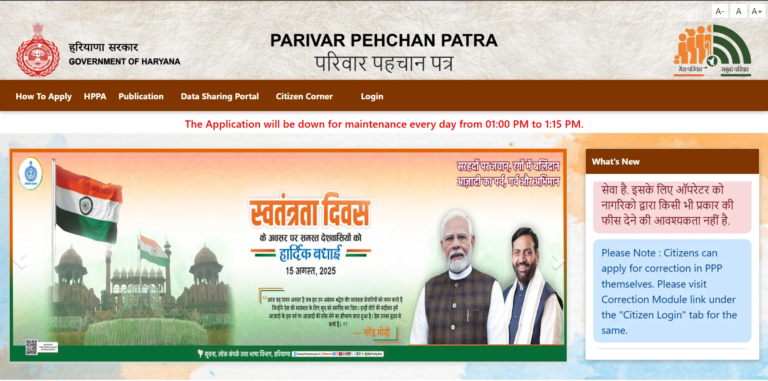
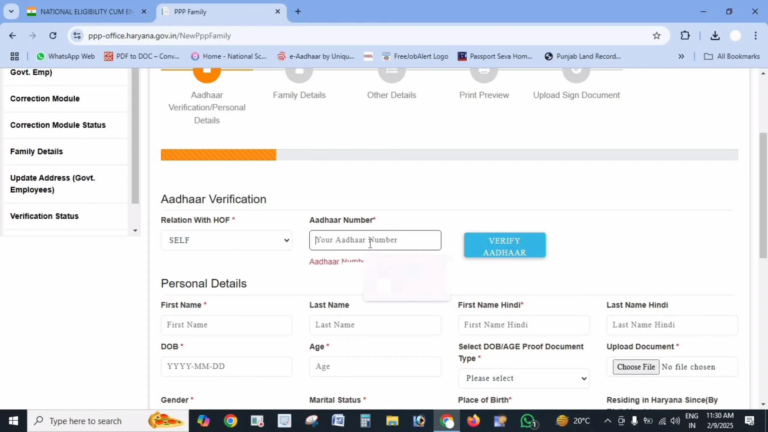
Always access PPP Haryana through the official portal https://ppp-office.haryana.gov.in/ and avoid third-party or fake websites.
Step 2: Verify Aadhaar-Linked Mobile Number
Make sure:
- Mobile number linked with Aadhaar is active
- Network signal is strong to avoid OTP not coming
- SMS inbox is not full
OTP will not arrive otherwise.
Step 3: Check Your PPP Family ID Status
If login works but features are blocked, your Family ID may still be under verification. Wait until approval or complete any required verification.
Step 4: Clear Browser Cache or Change Browser
Try:
- Clearing cache & cookies
- Using Chrome, Firefox, or Edge
- Opening portal in incognito mode
This resolves many loading-related login issues.
Step 5: Avoid Repeated Login Attempts
If login fails:
- Stop trying repeatedly
- Wait 30–60 minutes
- Try again during non-peak hours (early morning or late night)
Login Successful but Services Not Working?
Sometimes users can log in but cannot:
- Update Family ID
- Download ID
- Access full dashboard
This usually happens due to:
- Pending verification
- Incomplete family details
- Update request under process
In such cases, check the related service page directly.
Update Haryana Family ID
Download Haryana Family ID
When Should You Visit a CSC for Login Issues?
Visit a PPP Haryana CSC center if:
- Aadhaar mobile cannot be updated online
- Login fails for several days
- Account access is restricted
CSC operators can verify identity offline and resolve login problems faster.
Tips to Avoid PPP Haryana Login Problems in Future
- Keep Aadhaar-linked mobile number updated
- Do not share OTP with anyone
- Avoid multiple login attempts
- Always logout after completing work
- Use updated browser and stable internet
FAQs
Why am I unable to login to PPP Haryana?
Most commonly due to OTP issues, Aadhaar mobile mismatch, server problems, or pending Family ID status.
Can I login without OTP?
No. OTP verification is mandatory for secure login.
Is PPP Haryana login free?
Yes. Login and all Family ID services are completely free.
What should I do if login fails repeatedly?
Wait for some time, retry during non-peak hours, or visit a CSC center.