Check Haryana Family ID Status
After submitting your Haryana Family ID (Parivar Pehchan Patra) application, next important step is checking its progress. This page explains in detail how you can easily check your PPP Haryana application status online without any hassle.
Important Note:
Always check your Family ID status only through official PPP Haryana portal. There is no fee for checking application status.
How to Check Haryana Family ID Status
You can track your PPP Haryana application status by following these simple and user-friendly steps:
Step 1: Visit Official Website
Open official Mera Parivar portal in your browser.
Step 2: Find Status Check Option
On homepage or dashboard, look for option related to “Status Check” or application tracking.
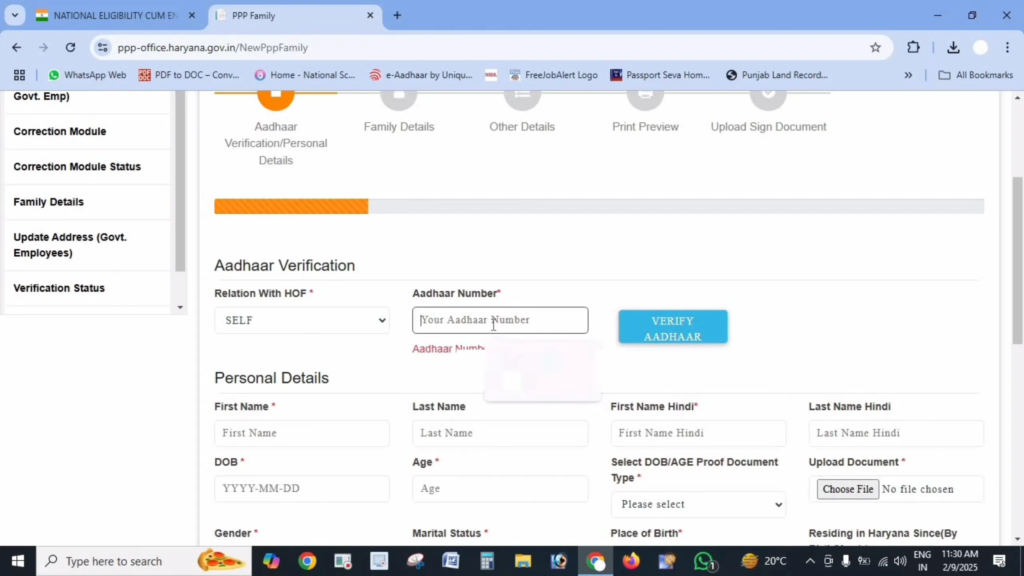
Step 3: Enter Your Details
You can check your status by entering any one of following details:
- Family ID number
- Application reference number received at time of registration
- Registered mobile number
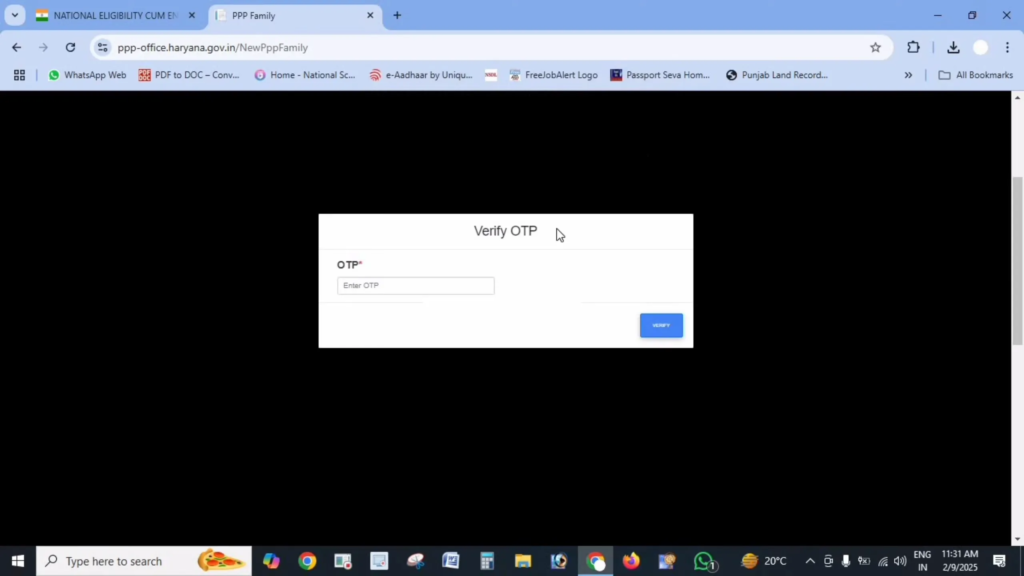
Step 4: Verify with OTP (if required)
If you choose mobile number option, an OTP may be sent to your registered phone for verification.
Step 5: View Status
Once verification is complete, system will display current status of your Haryana Family ID application.
Understanding Different Status Types
While checking your PPP Haryana status, you may see different types of results. Here’s what each one means:
Status: Processing / Pending
What it means: Your application is currently under review by concerned department. Verification usually takes around 10 to 30 days.
What to do: Wait for a few more days and check again later. If status stays same beyond 30 days, visiting nearest Saral Kendra is recommended.
Status: Approved
What it means: Your Family ID application has been successfully verified and approved by authorities.
What to do: Download your Haryana Family ID from portal and keep a saved copy for future use.
Status: Rejected
What it means: Your application was not approved due to missing details or incorrect information.
What to do: Carefully read rejection reason shown on portal. Fix issue and apply again. Common issues include document mismatch, incorrect personal details, or unclear uploads.
Checking Status of Updates to Existing Family ID
If you have already created a Family ID and requested changes like adding a new family member or correcting details, you can track that update request as well:
- Log in using your Family ID credentials
- Go to “Update History” or “Correction Status” section
- Check status of your submitted update request
What to Do If Your Status Shows “Rejected”
Seeing a rejected status can be worrying, but it can usually be fixed easily. Follow these steps:
- Check Reason: Portal will mention why your application was rejected.
- Fix Problem: Correct mentioned errors or upload correct documents.
- Apply Again: Submit a fresh application after making corrections.
- Get Assistance: If needed, visit a nearby Saral Kendra for help.
Tip:
Always keep your application number, registered mobile number, and reference details safe for future tracking and verification.
Common Problems When Checking Status
Some users may face issues while checking their PPP Haryana application status. Here are common problems and their solutions:
Issue: “Application Not Found” Error
Solution: Recheck entered Family ID or application number carefully. Even small typing mistakes can cause this error.
Issue: OTP Not Received
Solution: Confirm your mobile number is active and has network coverage. Wait for a few minutes and try again. You can also use an alternative option like application number search.
Issue: Website Not Loading
Solution: High traffic may slow down portal. Try again later, refresh page, or clear browser cache before retrying.
Other Ways to Check Your Status
If online checking is not working, you can use these offline or alternate methods:
- Visit a Saral Kendra: Officials can help you track your Family ID status.
- Contact Helpline: You can call PPP Haryana helpline number available through local or district offices.
Important Links
| Purpose | Link |
|---|---|
| Status Check Website | https://meraparivar.haryana.gov.in/ |
| Citizen Corner | https://ppp-office.haryana.gov.in/ |
| Saral Portal | https://saralharyana.gov.in/ |
Frequently Asked Questions
How long does it take to process a Family ID application?
Generally, a new Haryana Family ID application takes around 10 to 30 days for verification and approval.
What should I do if my status stays pending for more than 30 days?
If your application remains under processing for over 30 days, visiting nearest Saral Kendra is best option.
Can one mobile number be used to track multiple applications?
Yes, if same mobile number is linked to multiple applications, all related Family ID requests will appear together.
Will I get an SMS when my application status changes?
In most cases, applicants receive SMS updates on their registered mobile number, especially after approval.
How often should I check my PPP Haryana application status?
Checking once every 7 to 10 days is sufficient, as process usually takes time
Can I check Haryana Family ID status without Family ID number?
Yes, you can track status using your registered mobile number or application reference number.
What documents are usually verified during PPP application processing?
Authorities verify identity proof, address proof, family member details, and uploaded supporting documents.
Can I correct mistakes after submitting Family ID application?
Yes, corrections and updates can be requested through portal, and their status can be tracked online.