Haryana Family ID Registration
Haryana government introduced Parivar Pehchan Patra (PPP) scheme to give every family living in state a single, unique identification number. This complete guide explains how to apply for Haryana Family ID, commonly known as PPP Haryana, in a simple and easy way.
Important Note:
PPP Haryana registration is totally free of cost. Full form of PPP Haryana is Parivar Pehchan Patra. Families with permanent residence get an 8-digit ID, while temporary residents are issued a 9-digit ID that starts with letter “T”.
Before You Begin: What You’ll Need
Essential Documents for Registration:
- Aadhaar cards of all family members
- Active mobile number of family head
- Address proof such as electricity bill or water bill
- Age proof for each member like birth certificate or matric certificate
- Voter ID cards for adult members, if available
- Bank account details for direct benefit transfer, optional
- Income certificate or caste certificate, if applicable
- PAN card, if available
Preparation Tips:
- Scan all documents in PDF format and keep each file below 200 KB
- Make sure mobile number is active and able to receive OTP
- Keep complete family details ready like date of birth, education, and relationships
- Reserve at least 30 to 45 minutes so you can finish registration calmly without breaks
Step-by-Step Registration Process
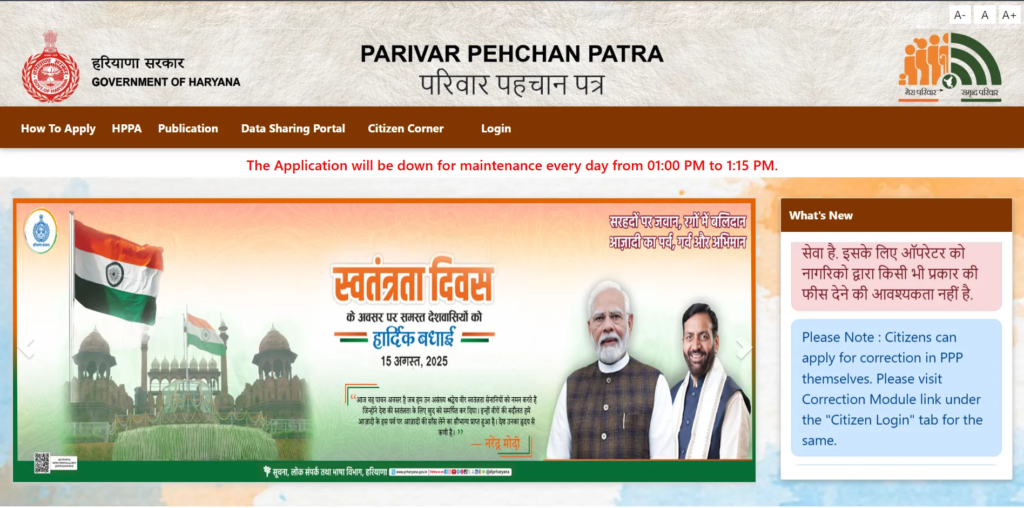
Step 1: Visit Official Website
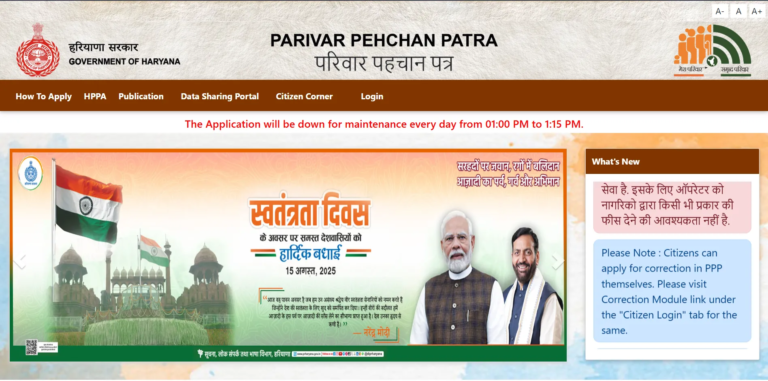
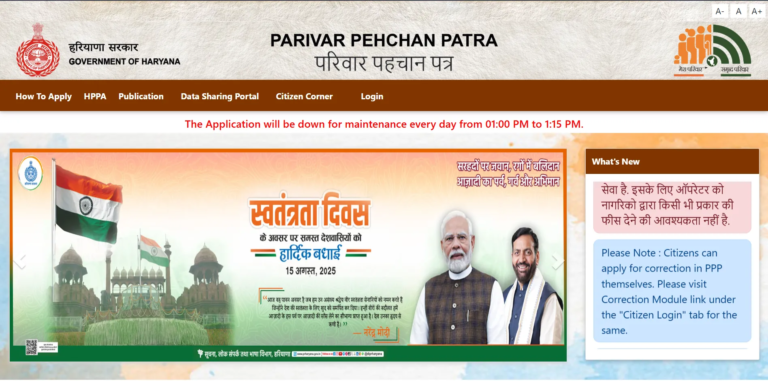
Open official PPP Haryana portal https://ppp-office.haryana.gov.in/ and reach homepage.
Step 2: Navigate to Registration
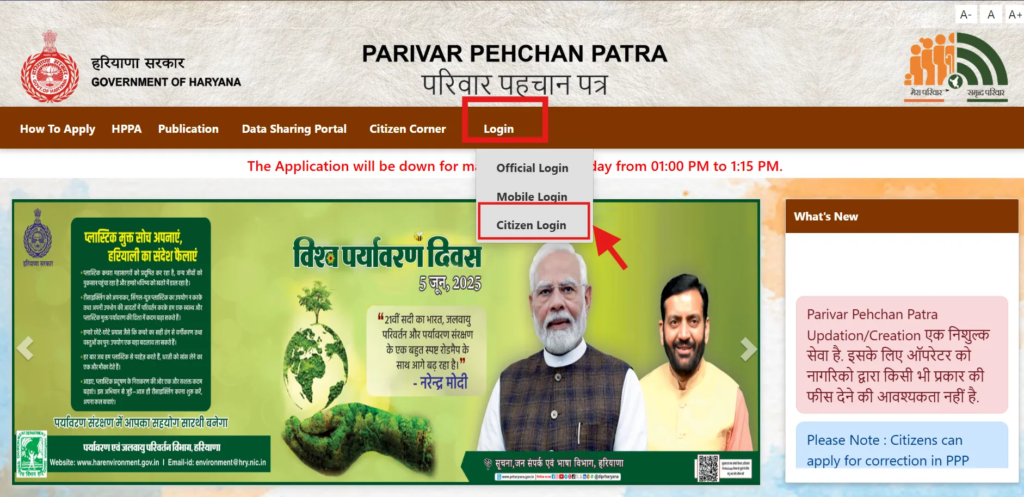
Click on “Citizen Login” option shown on main screen. When asked whether you already have a Family ID, choose “No” to generate a new Parivar Pehchan Number.
Step 3: Enter Aadhaar Number
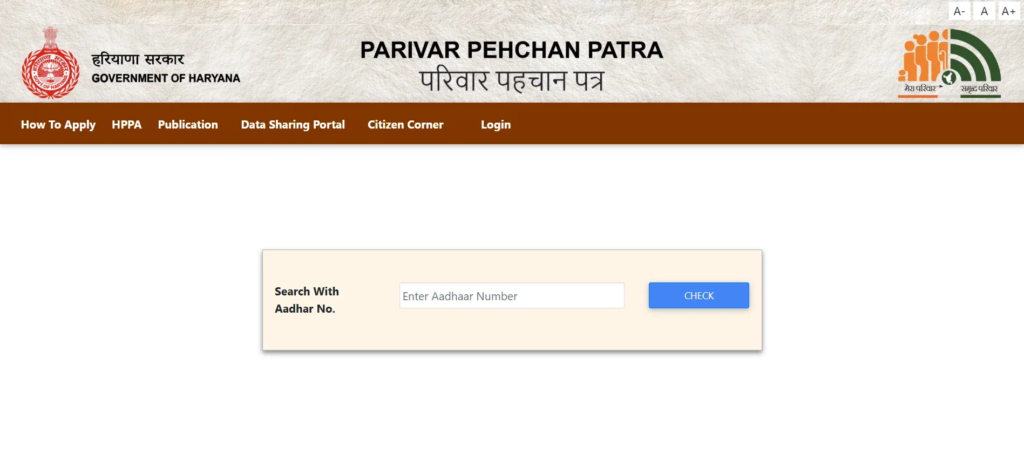
Type Aadhaar number of head of family. An OTP will be sent to mobile number linked with that Aadhaar.
Step 4: OTP Verification
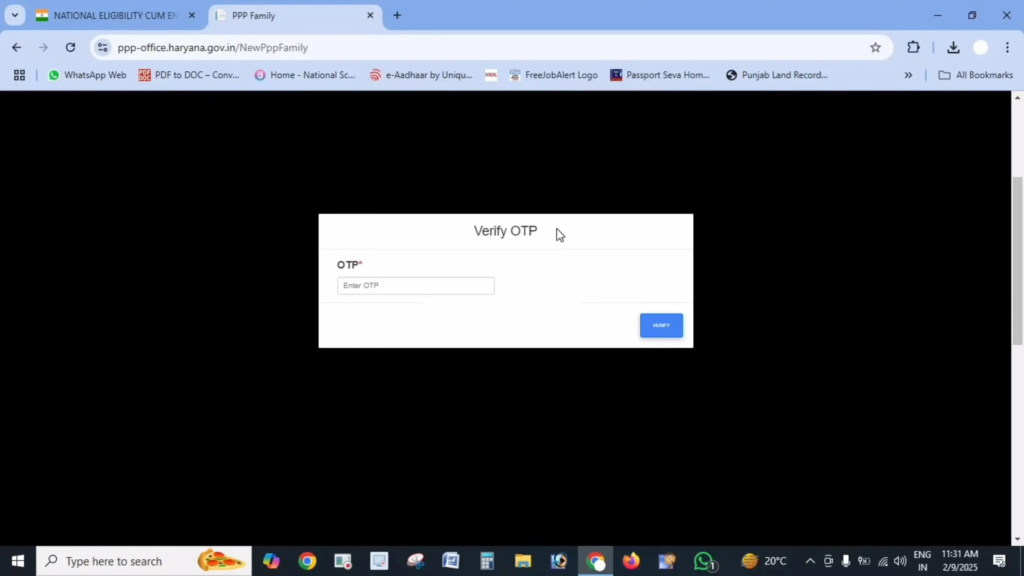
Enter OTP received on registered mobile number to confirm your identity.
Step 5: Fill in Personal Details
After OTP verification, basic Aadhaar details like name and date of birth will be auto-filled.
- Name in Hindi, including first and last name if applicable
- Date of birth proof type such as birth certificate, school certificate, voter ID, or matric certificate
- Document number and issue date
- Gender
- Marital status
- Place of birth with details whether inside Haryana or outside Haryana, including district or town
- Number of years living in Haryana
- Mobile number, which is mandatory
- Email ID, optional
- Caste category with proof if SC, ST, or OBC
- Disability details if applicable, including percentage and document proof
- Voter ID information, if available
- PAN card details, if any
- Yearly income and main income source
Step 6: Upload Required Documents
Upload clear and readable PDF copies, each under 200 KB, of following:
- Aadhaar cards of all family members
- Age proof documents
- Voter ID cards of adults
- Address proof
- Income certificate or caste certificate if needed
- Bank passbook or statement for DBT
- PAN card, if available
Document Tips:
- Check that all scans are clear and readable
- Use PDF compression tools if file size is above 200 KB
- Upload only PDF files, not images like JPG or PNG
Step 7: Add Family Member Details
Enter complete details of each family member, including:
- Father’s information such as Aadhaar number, name in English and Hindi, living or deceased status, and date of death if applicable
- Mother’s Aadhaar number and name in both English and Hindi
- Spouse details if married, including living or deceased status
- Current address details like house number, street, block, district, property ID, and ownership type
- Details of children and other members including Aadhaar number, date of birth, name, and relation to family head
Step 8: Review and Submit
- Carefully check all entered details before submission.
- Wrong or incomplete information may cause application rejection or delay in benefits.
- Once everything is correct, click on “Submit” button.
Step 9: Note Your Temporary ID
After submission, a temporary Family ID is generated, usually starting with “T”.
Write down this number or save a screenshot for future use.
This temporary ID remains active until verification is completed, usually within 10 to 30 days.
After Registration: What’s Next?
- Track Your Application: You can check status using temporary ID or registered mobile number.
- Verification Process: Local authorities verify application, which normally takes 10 to 30 days.
- Permanent ID: After approval, temporary ID is replaced with a permanent 8-digit Family ID.
- Download Your ID: Once approved, you can download your Family ID from portal.
Note:
PPP Haryana ID is connected with birth, death, and marriage records for automatic updates. Still, important changes should be updated manually through update process.
Common Registration Issues and Solutions
Issue: OTP Not Received
Solution: Check whether your Aadhaar has correct mobile number. If not, update Aadhaar details or visit a Saral Kendra.
Issue: Document Upload Fails
Solution: Confirm file is PDF, under 200 KB, and readable. Compress file if needed.
Issue: Application Freezes or Does Not Move Forward
Solution: Clear browser cache, switch browser, or try again during low-traffic hours.
Issue: Aadhaar Verification Error
Solution: Recheck Aadhaar number. If issue continues, Aadhaar details may need correction at an Aadhaar center.
Issue: Unable to Add Some Family Members
Solution: Ensure all details are correct. You can submit with available members and update remaining ones later.
Registration via Saral Kendra
If online registration is difficult, visit your nearest Saral Kendra:
- Carry all original documents with photocopies
- Staff will assist in filling form
- Documents will be scanned and uploaded
- You will receive a temporary Family ID for tracking
Benefits of PPP Haryana Registration
- One-Time Registration: Apply once to access multiple government services
- Easy Benefit Access: Faster and simpler benefit delivery
- Automatic Record Updates: Linked databases update some life events automatically
- Digital Family Record: All family data stored online
- Centralized System: Government schemes linked to one family profile
Important Links
| Purpose | Link |
|---|---|
| Registration Portal PPP Haryana Official | https://ppp-office.haryana.gov.in/ |
| Track Application Mera Parivar Haryana Portal | https://meraparivar.haryana.gov.in/ |
| Saral Kendra Help Saral Haryana Centers | https://saralharyana.gov.in/ |
Frequently Asked Questions
Who needs to apply for Haryana Family ID?
Family head usually applies for entire household. This is often eldest earning member.
Is Aadhaar compulsory for every family member?
Aadhaar is preferred for all members. Children without Aadhaar can be added later through updates.
Can people living outside Haryana apply?
Yes, individuals with permanent residence or property in Haryana can apply by submitting valid proof.
What if some documents are missing?
Mandatory documents like Aadhaar are required. For others, Saral Kendra staff can guide on alternatives.
How will I know my registration is complete?
You will receive a temporary ID after submission. A permanent ID is issued after verification.
Can details be changed after submission?
Editing is not allowed immediately after submission. Corrections can be done later using update process.
What happens if my application is rejected?
You will receive reason for rejection. After fixing issue, you can apply again.
Is there a last date for registration?
There is no fixed deadline, but early registration helps avoid missing government benefits.
What is PPP Haryana used for?
PPP Haryana is used to link families with government schemes, subsidies, and welfare benefits using one Family ID.
Is Haryana Family ID required for government schemes?
Yes, many Haryana government schemes now require a valid Family ID to apply or receive benefits.
Can I update marriage, birth, or death details later?
Yes, life events can be updated through Family ID update process after approval.
Does PPP Haryana work for pension and ration benefits?
Yes, Family ID is commonly used for pensions, ration cards, scholarships, and other welfare schemes.
Does PPP Haryana help in direct benefit transfer?
Yes, linking bank details allows smooth and direct transfer of government benefits to eligible families.