Update Haryana Family ID
Your family details can change over time because of events like birth of a child, marriage, relocation, education updates, or other important life changes. Haryana Family ID (Parivar Pehchan Patra) gives you option to update this information so your family record always stays correct and updated.
Important Note:
Keeping your Family ID information updated is very important to continue getting benefits from Haryana government schemes. Incorrect or old details can cause delays or rejection of benefits.
How to Update Your Haryana Family ID
You can follow these simple steps to update any information in your PPP Haryana Family ID:
Step 1: Log in to Official Portal
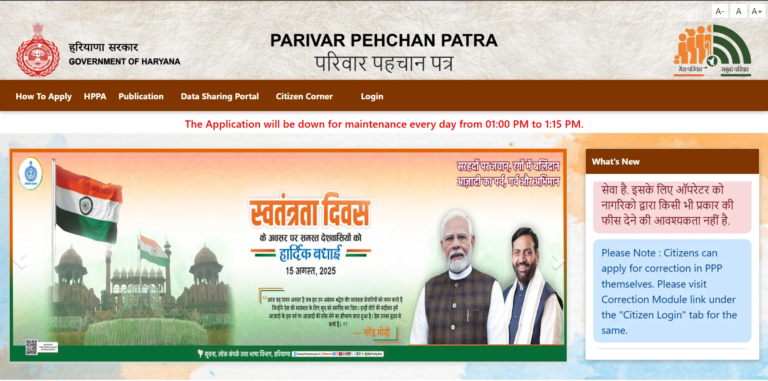
Go to official PPP Haryana portal at https://ppp-office.haryana.gov.in/ and log in using your Family ID number. Complete OTP verification sent to your registered mobile number.
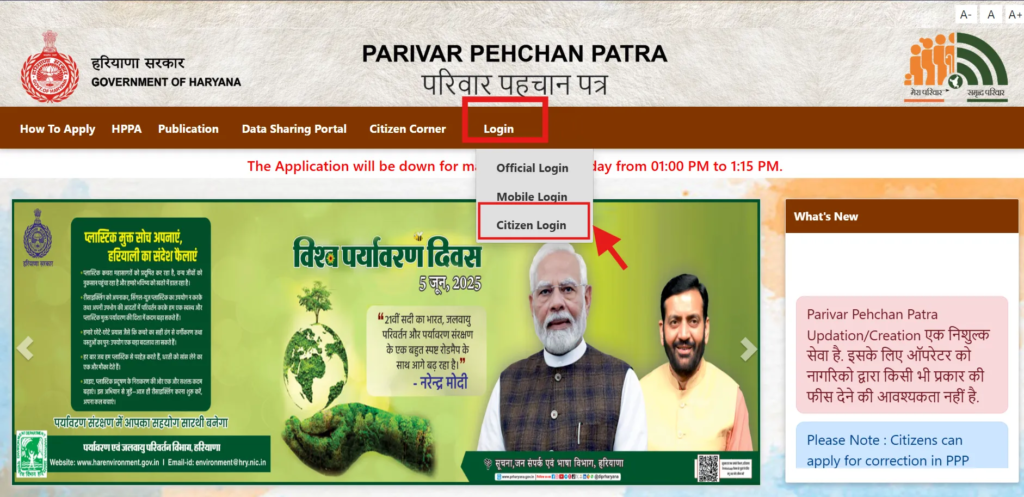
Step 2: Navigate to Update Section
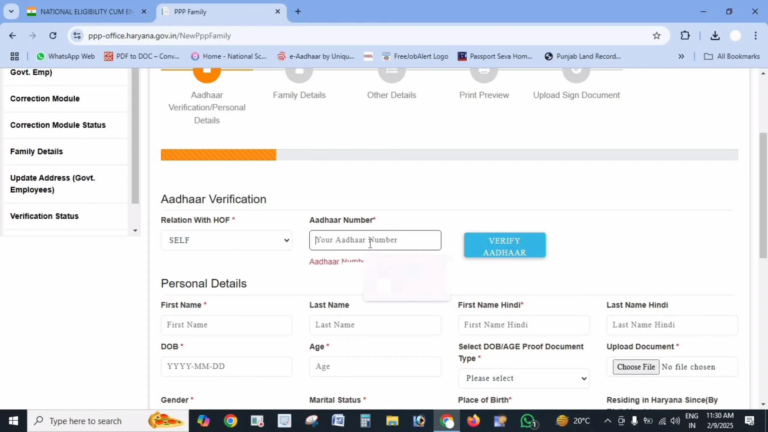
After successful login, open your dashboard and go to “Family Details” section. Click on “Update Family Details” or “Correction Module”.
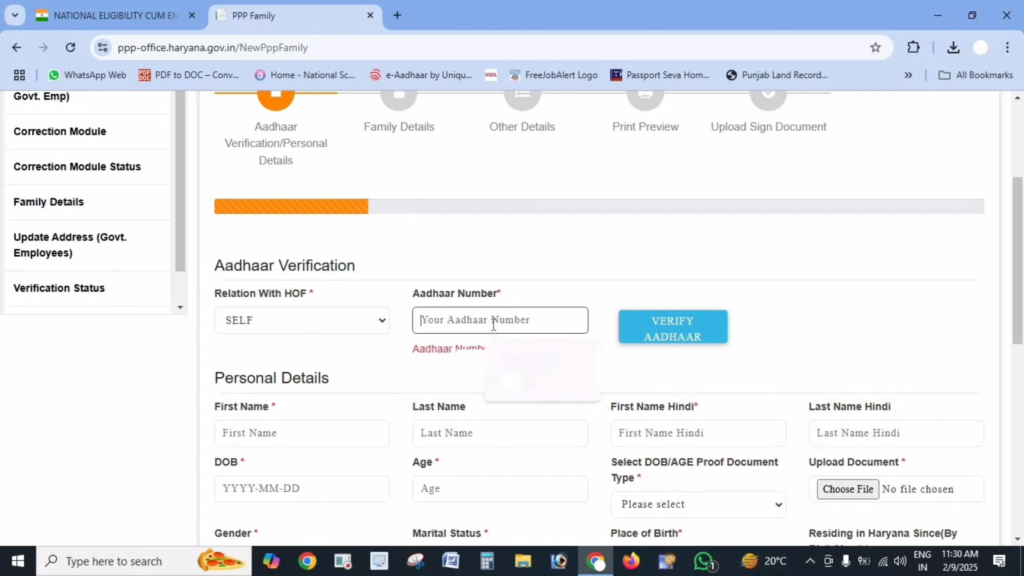
Step 3: Select Update Type
Choose type of update you want to make from available options listed below.
Step 4: Enter New Information
Carefully enter updated information and upload required supporting documents.
Step 5: Submit and Verify
Check all entered details to make sure they are correct. Submit your request and complete OTP verification if asked.
Step 6: Track Update Status
After submission, note down reference number. Use this number later to track status of your update request.
Types of Updates You Can Make
Add New Family Member
You can add a new member in case of birth, marriage, or inclusion of a dependent:
- Select “Add Member” option
- Enter Aadhaar number of new member, if available
- Fill details like full name, date of birth, gender, and relationship with family head
- Upload required documents
Documents Required:
- Aadhaar card of new member (if available)
- Birth certificate for newborns
- Marriage certificate for spouse addition
- Proof showing relationship with family head
Remove Family Member
If a family member needs to be removed due to death or separation:
- Choose “Remove Member” option
- Select member from list
- Mention reason for removal such as death or separation
- Upload supporting documents
Documents Required:
- Death certificate in case of death
- Divorce decree in case of separation
- Any other valid proof supporting request
Update Personal Details
To update details like education, job, or marital status:
- Select “Update Personal Details”
- Choose family member
- Select specific information to be updated
- Enter new details and upload documents
Documents Required:
- Educational certificates for education updates
- Employment letter or ID card for occupation updates
- Marriage certificate for marital status updates
- Any valid proof related to change
Update Address
If your family has shifted to a new location:
- Select “Update Address”
- Enter complete new address details such as house number, street, block, district
- Update ownership status if required
- Upload address proof
Documents Required:
- Electricity bill of new residence
- Water bill
- Rent agreement or property ownership documents
- Any other valid address proof
Update Mobile Number
To change registered mobile number linked with Family ID:
- Select “Update Mobile Number”
- Enter old mobile number for OTP verification
- Enter new mobile number
- Verify new number using OTP
Requirements:
- Access to both old and new mobile numbers
- New mobile number must be active to receive OTP
Update Bank Details
To update bank account details for DBT benefits:
- Select “Update Bank Details”
- Choose family member
- Enter correct bank details including account number, IFSC code, and bank name
- Upload required documents
Documents Required:
- Canceled cheque or first page of bank passbook
- Bank statement
- ID proof of bank account holder
Important Tips for Successful Updates
- Document Quality: Uploaded documents should be clear, readable, and under 200 KB in PDF format.
- Correct Information: Always recheck details before submitting to avoid rejection.
- Status Check: Regularly track your update request status online.
- Processing Time: Updates usually take 7 to 15 days based on verification.
- Reference Number: Keep reference number safe for future tracking.
Note:
Once your update is approved, download a fresh copy of your Haryana Family ID for records.
Common Issues and Solutions
Issue: Update Request Rejected
Solution: Read rejection reason shown on portal. Correct issue, usually document mismatch or unclear files, and submit again.
Issue: Unable to Upload Documents
Solution: Make sure files are in PDF format and less than 200 KB. Compress or rescan if needed.
Issue: OTP Not Received
Solution: Check network coverage. If OTP still doesn’t arrive, visit nearest Saral Kendra.
Issue: Update Option Not Visible
Solution: Confirm correct login and check under Family Details. Clear browser cache or switch browser if needed.
Automatic Updates
Some information in your PPP Haryana Family ID may be updated automatically through government systems:
- Birth Records: Registered births in Haryana may link automatically to Family ID
- Death Records: Registered deaths can update Family ID records
- Marriage Registrations: Official marriage registrations may reflect automatically
Even though some updates happen automatically, it is recommended to verify all details and manually update if required.
Important Links
| Purpose | Links |
|---|---|
| Update Portal | https://ppp-office.haryana.gov.in/ |
| Check Update Status | https://meraparivar.haryana.gov.in/ |
| Saral Portal | https://saralharyana.gov.in/ |
Frequently Asked Questions
How much time does a Family ID update take?
Most update requests are processed within 7 to 15 working days depending on verification and update type.
Can I update details for more than one family member?
Yes, you can update information for multiple members in one login session, but each update needs to be submitted separately.
Is there any charge for updating Haryana Family ID?
No, updating Family ID details is completely free. Do not pay anyone claiming to offer paid services.
How can I check my update status?
You can track update using reference number on official status check portal.
What if I don’t have required documents?
For certain cases, you can visit nearest Saral Kendra where officials can guide you with alternative solutions.
How often should I update my Family ID?
You should update your Family ID whenever there is a major change like birth, death, marriage, address change, education update, or job change.
What is Haryana Family ID update used for?
Haryana Family ID updates help ensure accurate data for government welfare schemes, subsidies, pensions, and DBT benefits.
Can PPP Haryana Family ID be updated online?
Yes, most updates can be done online through official PPP Haryana portal using OTP verification.
Is Family ID update linked with DBT payments?
Yes, correct bank details in Family ID are essential for receiving Direct Benefit Transfers without delay.